
Contractor prequalification
Every contractor checked against your rules before they're booked.
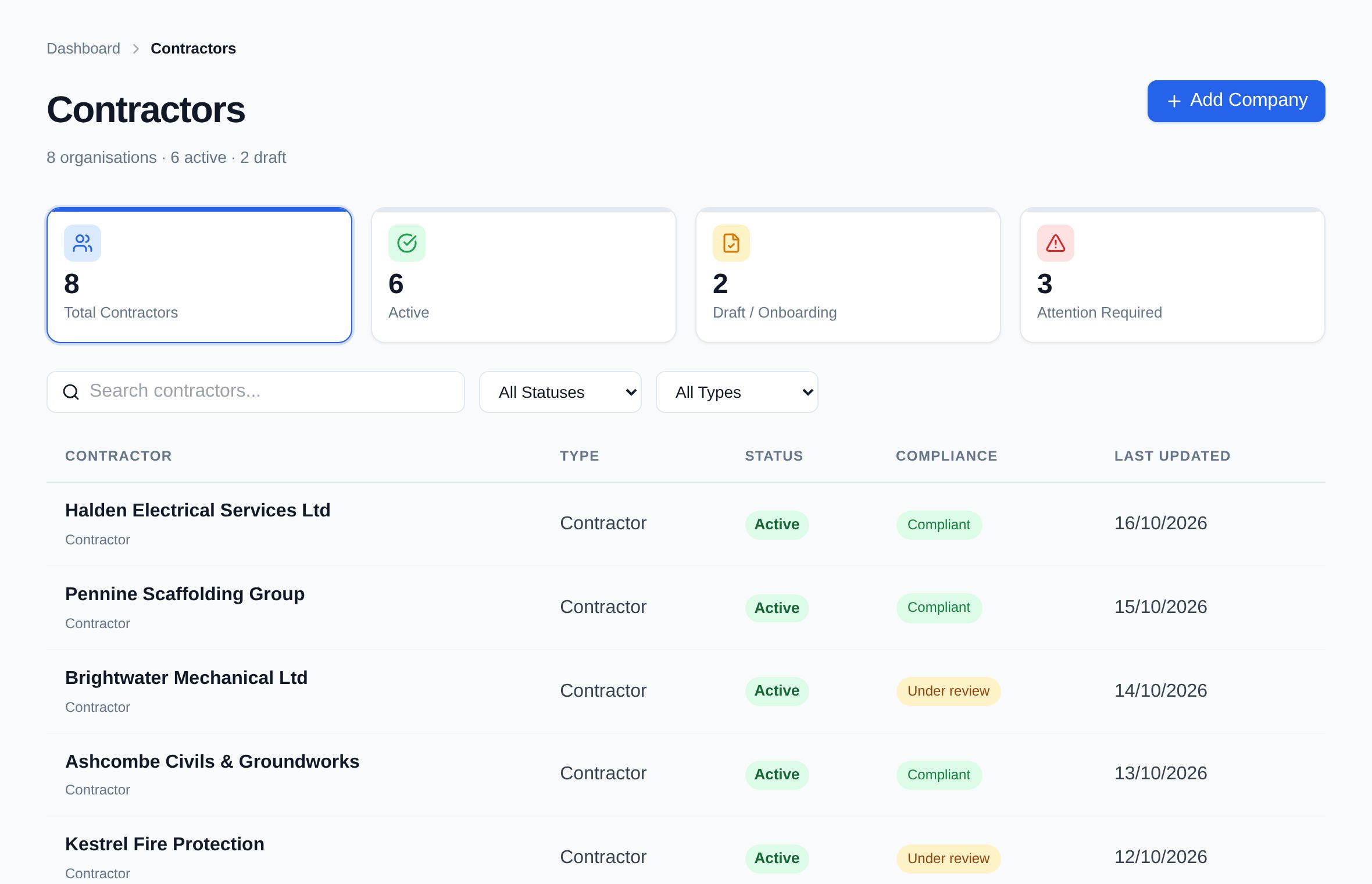
Contractor prequalification in Assured Contractors is how a client checks a company is fit to work before it's booked: the contractor uploads documents and insurance once, your reviewers accept them against your own requirements, and the company's status shows Ready, Action required or Blocked with every reason listed.
Send your contractors your company code or invite link: they join free in a couple of minutes and are connected to you straight away, with the one profile they keep for every client. With no fee to pay, there's no Assured Contractors cost for them to recover in their prices. You decide what each kind of work needs and review what arrives; Assured Contractors watches expiry dates and Companies House status from then on.
- Free for contractors to join with your code
- Companies House status watched
- SSIP certificates stored, not issued
- Fewer chasesEvery document has an expiry date and the contractor is reminded before it lapses — not after your site finds out.
- Decisions you can defendEach acceptance, rejection, suspension and override is recorded with who made it, when and why.
- A supply chain that joins quicklyContractors join free with your company code and a four-field form, or enter your code to reuse the profile they already keep for other clients. No joining, annual or per-client fee.
Stage 01 · Prequalify
What's included?
Documents, insurance and accreditation certificates checked against your requirements, with a status that explains itself.
Your company code and invite link
Send contractors your code or invite link from your Contractors page. They join free and are connected to you straight away, however many clients they work for. You can also add a contractor by its own code.
One profile, every client
A contractor uploads once. Every client sees the current version and reviews it on its own terms, with its own audit trail.
Requirement sets and risk tiers
Set the documents and cards each kind of work or risk tier needs, so a roofing firm and a window cleaner aren't asked for the same list.
Insurance with expiry dates
Employers' liability, public liability and other cover, each with its expiry date and reminders before renewal.
SSIP and accreditation certificates
Contractors store CHAS, SafeContractor, Constructionline or other certificates as documents with expiry dates. Assured Contractors doesn't assess or issue them.
Companies House, watched
Look a company up by name or number, link the record, and see a change in its registered status on the contractor's record.
A status with reasons
Ready, Action required or Blocked, with a “Why?” panel listing each missing document, expired policy and worker who isn't ready.
Document requests
Ask a contractor for something specific. It sits on their record as outstanding until they upload it.
Suspend or archive with a reason
Stop a contractor being booked while you investigate, or archive one you no longer use. The reason goes in the audit log.
How it works
How does it work, step by step?
Set your requirements
Choose the documents, insurance and cards each kind of work or risk tier needs.
Send contractors your code
Share your company code or invite link. A new contractor joins free in a couple of minutes and is connected to you straight away; one already using Assured Contractors enters your code on its dashboard.
The contractor uploads once
Insurance and policies with expiry dates, accreditation certificates and their team's cards go into one profile.
Your reviewers decide
Accept or reject each item against your requirements, and request anything that's missing.
Assured Contractors keeps watch
Expiries, Companies House status and worker readiness keep the company's status current. “Why?” shows the reasons.
“Why?”
A status that explains itself.
Press “Why?” on any contractor to see the reasons behind its status: the insurance that's in date, the policy that was requested and never arrived, the worker whose CPCS card expires in three weeks.
- Every reason, in one listDocuments, insurance, Companies House and worker readiness together.
- Fix it from the reasonEach item links to the record that needs attention.
An illustration with example names, not live data.
- Employers' liability insurance£10m · in date until 30 Jun 2027
- Public liability insurance£5m · in date until 30 Jun 2027
- Active at Companies HouseLast checked today
- Health & safety policyRequested 3 Nov — not uploaded yet
- Workers ready11 of 12 · one CPCS card expires in 21 days
Is Assured Contractors an SSIP accreditation scheme?
No. Assured Contractors isn't an SSIP member scheme and doesn't assess companies or issue SSIP, PAS 91 or Common Assessment Standard certificates.
If you require SSIP, the contractor uploads their certificate as a document with its expiry date, your reviewers accept it, and Assured Contractors reminds them before it lapses.
Do contractors pay to be prequalified?
No, on any plan. You send a contractor your company code or invite link; it joins free and is connected to you straight away. They keep one profile that every client they work for can see, with no joining, annual or per-client fee.
The client running the sites pays one subscription, so there's no Assured Contractors fee for contractors to recover in their prices.
Can we ask different contractors for different documents?
Yes. Requirement sets let you set what each kind of work or risk tier needs, so higher-risk trades are asked for more and low-risk suppliers aren't buried in paperwork.
What does the Companies House check do?
You look the company up by name or company number and link it to the contractor's record. Assured Contractors shows the company's registered status and surfaces a change, such as a company that is no longer active, on the contractor's record.
What happens when a document expires?
The contractor is reminded before the expiry date. If it lapses, the company's status changes and the expired document appears under “Why?” until a new one is uploaded and accepted.
If a contractor works for several clients, do they see each other's decisions?
No. The contractor keeps one profile, but each client reviews it on its own terms and keeps its own decisions and audit trail.
Keep exploring
Works with
Modules that share this one's record — and where to read more.
Who uses it
Read more
- A contractor prequalification checklistGuide
- SSIP explained: what it is and what it isn'tGuide
- What contractor accreditation costsGuide
- Assured Contractors and CHASComparison, with sources
- Assured Contractors and SafeContractorComparison, with sources
- Assured Contractors and ConstructionlineComparison, with sources
- How the platform connectsThe shared record, roles and audit log
Get every contractor site-ready.
Start a 14-day free trial — no card. Send your contractors your company code: they join free and keep one profile for every client they work for.