
Vehicles & equipment
Every van road-legal. Every bit of kit inspected.
Vehicles and equipment in Assured Contractors checks each contractor vehicle's MOT history with DVSA and its tax status with DVLA, keeps its insurance on file and books it to sites; the equipment register tracks each item's status and next inspection date, and stops quarantined kit from being booked.
Contractors add their vehicles once, by registration. You see the MOT, tax and insurance read-only and can suspend a vehicle from your sites. Your own plant and equipment sit in a register that bookings respect.
- DVSA MOT history
- DVLA tax status
- Quarantined kit can't be booked
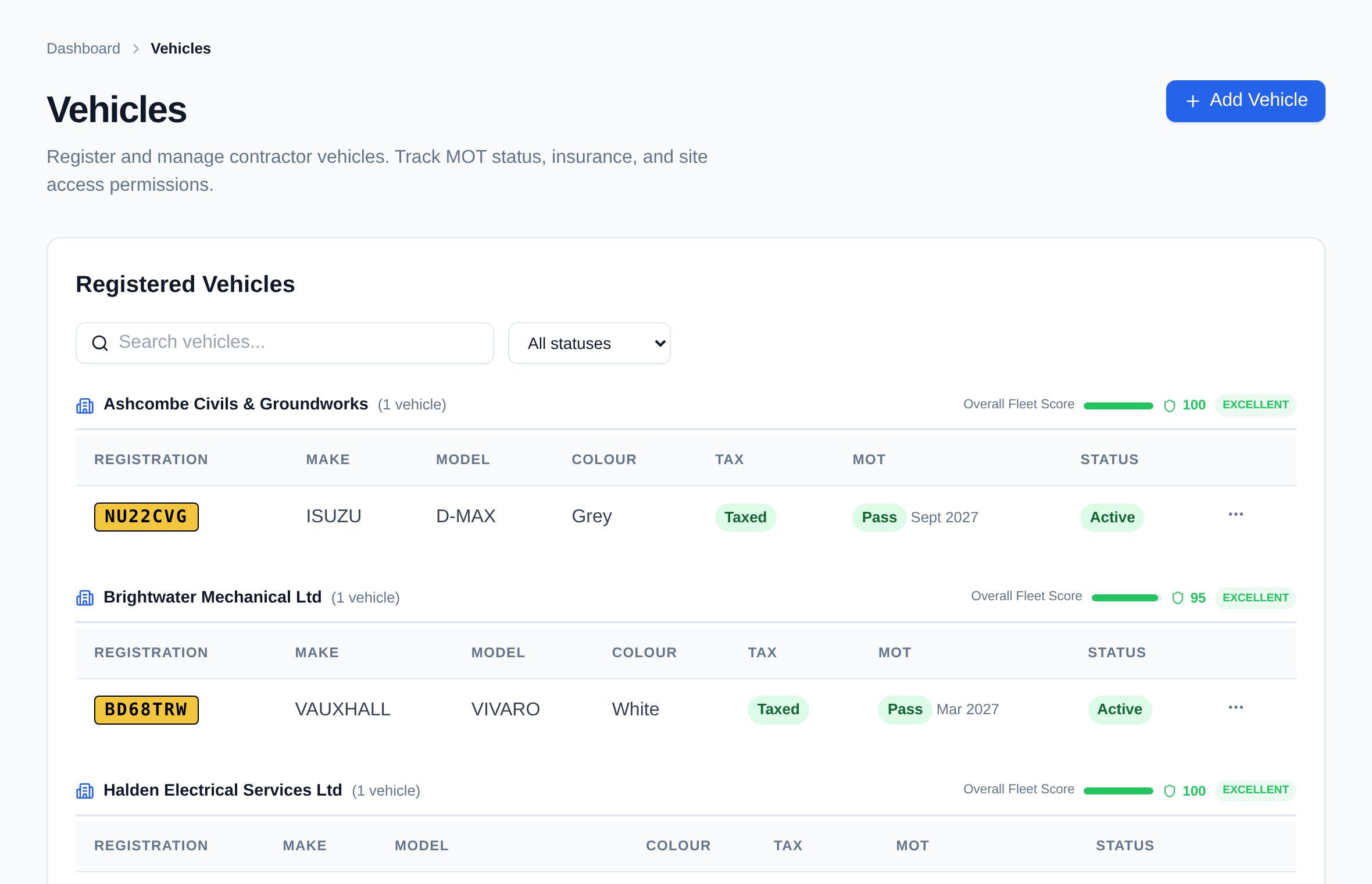
- No untaxed vans on siteAn expired MOT, a failed latest test, SORN or no tax blocks the vehicle, with the reason shown.
- Less admin for contractorsA clean insurance upload is accepted automatically; MOT and tax come straight from DVSA and DVLA.
- Kit that's fit to useQuarantined and disposed equipment can't go on a booking, and inspection due dates are in the register.
Stage 01 · Prequalify
What's included?
DVSA MOT history, DVLA tax and insurance for every vehicle, and an equipment register with inspection dates.
DVSA MOT lookup
MOT expiry, the result of the latest test and the full MOT history, including advisories — refreshed daily.
DVLA tax status
Taxed, untaxed or declared off road (SORN), with the tax due date.
Insurance on file
Upload the insurance certificate with its expiry date. A clean upload is accepted automatically.
A vehicle status with reasons
MOT valid or expired, failed latest MOT, taxed or not, insurance on file — each reason listed.
Shared read-only with clients
A contractor's vehicles are visible to each client they work for, read-only.
Suspend from your sites
Clients can suspend a vehicle; only they can reinstate it.
Vehicle bookings
Book a vehicle to a site and put it on a crane or delivery booking.
Equipment register
Each item with its type, serial number, location, condition and status.
Inspection due dates
Record the last inspection and when the next is due — for your LOLER and PUWER regimes.
How it works
How does it work, step by step?
Add the vehicle
The contractor enters the registration. Assured Contractors looks up MOT history with DVSA and tax with DVLA.
Add the insurance
Upload the certificate with its expiry date; a clean upload is accepted automatically.
Clients see the status
Each client sees the vehicle read-only with its status and reasons, and can suspend it.
Book it to a site
Put the vehicle on a site booking or a crane or delivery slot.
Where does the MOT and tax information come from?
MOT history comes from DVSA and tax status from DVLA, looked up by the vehicle's registration.
Does Assured Contractors check driving licences?
No. It checks the vehicle — MOT, tax and insurance — not the driver's licence. A driver can be put on a booking as a person with the driver role.
Can a client change a contractor's vehicle?
No. Contractors' vehicles are shared with clients read-only. A client can suspend a vehicle from its sites, and only that client can reinstate it.
Does the equipment register replace LOLER thorough examinations?
No. It records each item's status and inspection dates so you can see what's due; the thorough examinations and PUWER inspections themselves are still carried out by competent people.
What happens to quarantined equipment?
It can't be added to a booking. Equipment under maintenance can be booked, with a warning.
Keep exploring
Works with
Modules that share this one's record — and where to read more.
Get every contractor site-ready.
Start a 14-day free trial — no card. Send your contractors your company code: they join free and keep one profile for every client they work for.