
Permits to work
Permits that follow the work, from request to hand-back.
Permits to work in Assured Contractors are digital permits for high-risk tasks — hot work, confined space entry, work at height, electrical work, excavation and lifting — that move from request to assessment, issue, suspension, extension, hand-back and close, with hazards, controls and a checklist on each one.
Each permit belongs to a site, carries its own hazards and controls, and records who requested, assessed, issued and closed it. Once it's issued it's locked: a change needs a new decision, not a quiet edit.
- Seven permit types
- Locked once issued
- PDF for the permit board
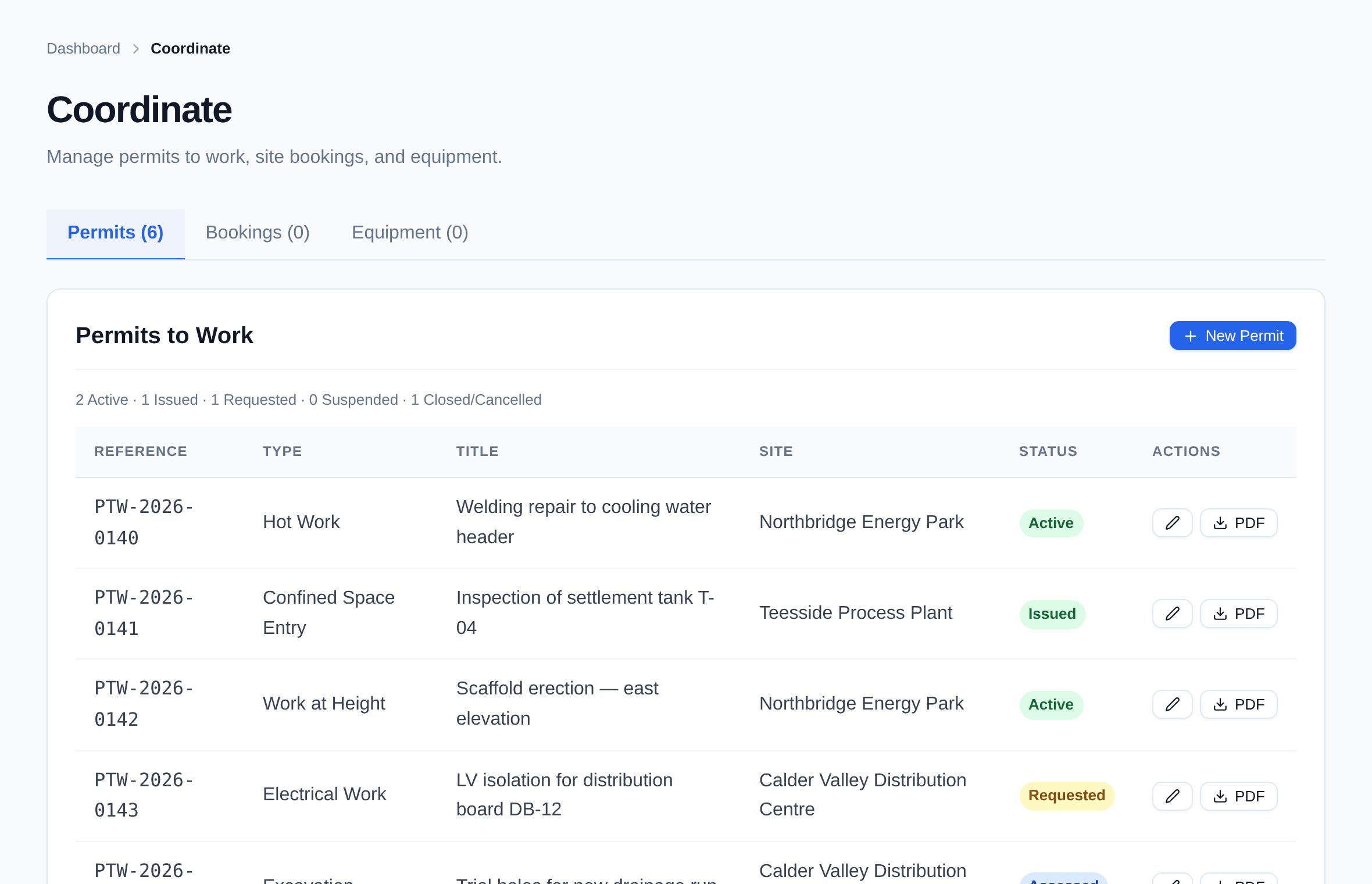
- One view of live permitsEvery issued, active, suspended and extended permit for a site in one list, with its reference and status.
- No quiet editsIssued permits can't be edited. Suspending, extending or cancelling needs a reason, and every step is logged.
- A record that stands upWho requested, assessed, issued, suspended and closed each permit, and when — ready for an audit or an investigation.
Stage 02 · Plan the work
What's included?
Hot work, confined space, height, electrical, excavation and lifting permits with a full lifecycle and checklists.
Seven permit types
Hot work, confined space entry, excavation, electrical work, work at height, lifting operations and general.
Hazards and controls
Each type suggests common hazards and controls — gas testing and a 60-minute fire watch for hot work, a CAT and Genny scan for excavation — and you add your own.
Pre-start checklist
Risk assessment briefed, PPE in good condition, isolations locked out, emergency and rescue arrangements in place.
A real lifecycle
Draft, requested, assessed, issued, active, suspended, extended, handed back, closed. Only the next valid step is offered.
Locked once issued
After issue the permit's content can't be changed, so what's on the board is what was authorised.
Suspend and restart
Suspend a live permit with a reason — weather, an alarm, a change on site — and restart it when it's safe.
Extend with a reason
Extending moves the planned end time and records why it was needed.
PDF permit
Download the permit as a PDF with your logo, hazards, controls and checklist, for the permit board or the work face.
Every step recorded
Each transition goes into the audit log with the person, the time and any reason given.
How it works
How does it work, step by step?
Request
Raise a permit for a site: choose the type, describe the work and location, and set the planned start and end.
Assess
A competent person reviews the hazards and controls and works through the checklist.
Issue
The issuer issues the permit. It locks, and a PDF can go on the board.
Work under the permit
The permit goes live. Suspend it with a reason and restart it, or extend the end time with a reason.
Hand back and close
The work party hands the permit back and the issuer closes it.
What is a permit to work?
A permit to work is a formal written system for controlling high-risk work, such as hot work, confined space entry or electrical isolation. It sets out the work, the hazards, the controls, who has authorised it and for how long. HSE guidance treats it as part of a safe system of work, alongside risk assessment rather than instead of it.
Which permit types are included?
Hot work, confined space entry, excavation, electrical work, work at height, lifting operations and a general permit. Each comes with suggested hazards and controls that you can add to.
Can an issued permit be changed?
Not its content. Once issued, a permit is locked from editing. It can be suspended, restarted, extended, handed back, closed or cancelled — and suspending, extending or cancelling needs a reason.
Does Assured Contractors write RAMS?
No. There's no RAMS authoring module. Contractors can upload risk assessments and method statements as documents on their record, and the permit checklist asks for confirmation that the risk assessment has been briefed.
Can I print a permit?
Yes. Every permit downloads as a PDF with your logo, the hazards, controls and checklist, for the permit board or the work face.
Does it work without signal?
Assured Contractors is a web app that runs on phones and tablets, but it needs a data connection — there's no offline mode.
Keep exploring
Works with
Modules that share this one's record — and where to read more.
Who uses it
Get every contractor site-ready.
Start a 14-day free trial — no card. Send your contractors your company code: they join free and keep one profile for every client they work for.