
Visitor sign-in kiosk
Visitors sign themselves in. Your muster list knows they're there.
The Assured Contractors visitor kiosk lets visitors sign in to a site on a reception tablet or their own phone via a QR code: they choose a visitor type, accept your site rules, add a photo and signature if you ask, and their host is notified. Every visitor appears on site access and the muster list.
Each site gets its own kiosk link and a QR poster to put up at the gate. There's nothing to install: it runs in a browser on a tablet at reception or on the visitor's phone.
- Tablet or the visitor's own phone
- Site rules, photo and signature
- Host notified on arrival
- No more visitor bookNames, companies, hosts and times are recorded for every visitor, at every site, in one place.
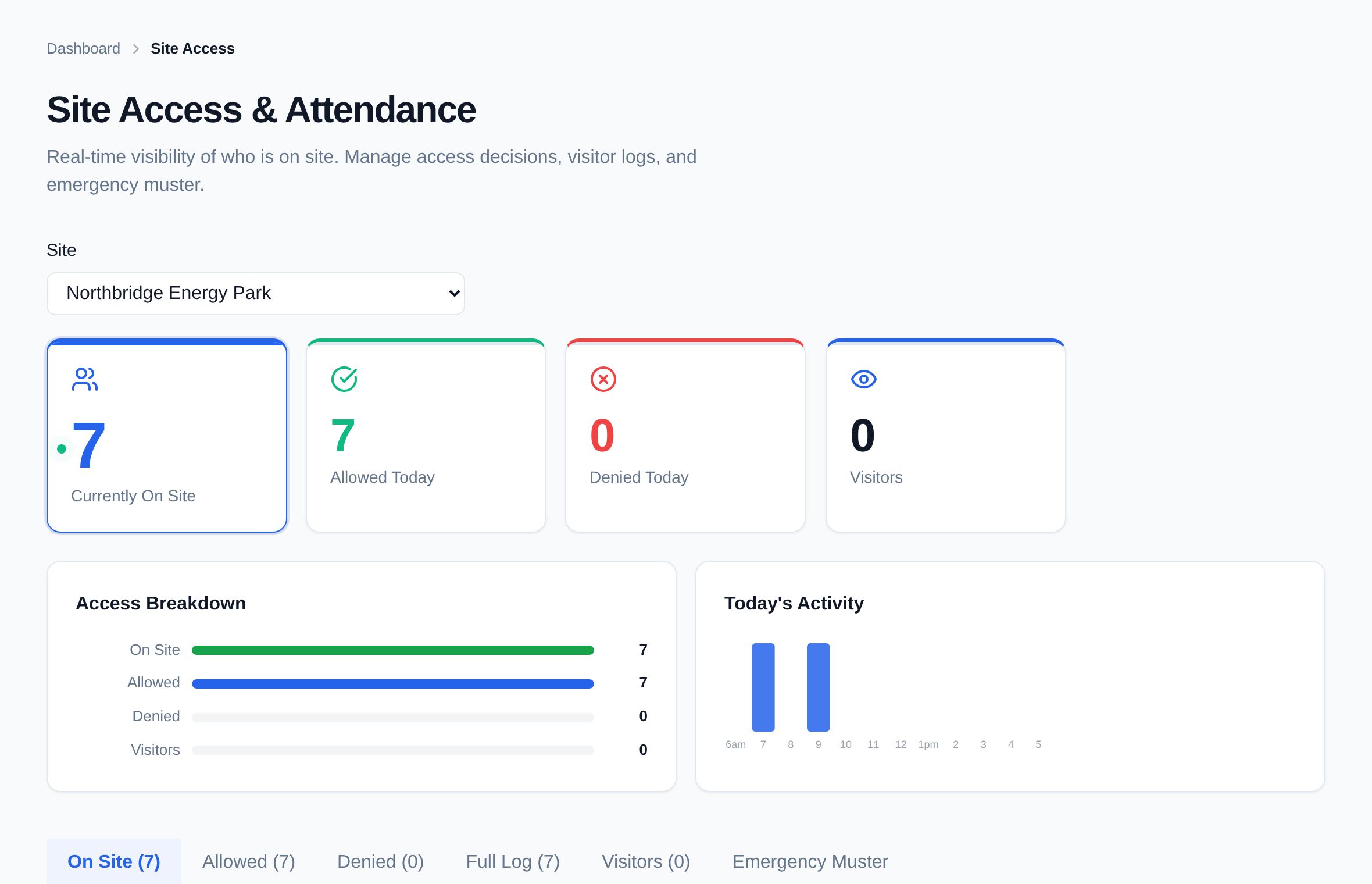
- Visitors on the roll callEveryone signed in at the kiosk is on the site's muster list until they sign out.
- Rules read, not skippedVisitors accept your site rules before they're signed in, and you can ask for a signature.
Stage 03 · Run the gate
What's included?
A kiosk for every site on a tablet or the visitor's phone, with site rules, host alerts and the muster list.
A kiosk link and QR poster per site
Print the poster for the gate or reception; scanning it opens that site's sign-in.
Tablet or own phone
Run it on a reception tablet, or let visitors sign in on their own phone. No app to install.
Visitor types
Visitor, contractor, delivery and interview by default — set your own for each site.
Site rules
Visitors read and accept your site rules — PPE, escort, assembly point — before they're signed in.
Photo and signature
Ask for a photo and a signature if your site needs them; leave them off if it doesn't.
Host notified
The visitor picks their host from the site's contacts, and the host is told they've arrived.
Printed badge
Print a visitor badge with their name, company, host and type.
Pre-registration codes
Pre-register expected visitors; they get a 6-character code that signs them in quickly.
Easy sign-out
Sign out from the kiosk list — which shows first name and initial only — or on the same phone they signed in with.
How it works
How does it work, step by step?
Put up the poster
Each site has its own kiosk link and QR poster. Open the link on a tablet, or let visitors scan the poster.
The visitor signs in
They choose their type, enter their details or a pre-registration code, accept the site rules, and add a photo and signature if asked.
The host is told
The host they picked from the site contacts is notified, and a badge can be printed.
They're on site access and muster
The visitor appears in site access and on the muster list until they sign out.
Try it
Three steps on a phone.
This is the shape of the visitor's journey: who they are, the site rules, a signature. Tap through it — on a real site, the host is notified and the visitor is on the muster list the moment they finish.
- Works on any phoneThe QR poster opens the site's kiosk in the browser.
- Same kiosk on a tabletIt resets itself between visitors.
An illustration with example names, not live data.
Do visitors need to download an app?
No. The kiosk runs in a web browser — on a tablet at reception, or on the visitor's own phone after scanning the site's QR poster.
Can visitors sign in on their own phone?
Yes. Scanning the QR poster opens that site's kiosk on their phone. They can sign out on the same phone later, or from the kiosk list.
How are hosts notified?
The visitor picks their host from the site's contacts, and the host gets a notification in Assured Contractors that their visitor has arrived.
Are visitors included in an emergency muster?
Yes. Everyone signed in at the kiosk appears in site access and on the muster list until they sign out.
What do other people at the kiosk see?
The sign-out list shows only each visitor's first name and initial, and the kiosk resets itself when it's left idle.
Can we stop the kiosk being used?
Yes. You can switch a site's kiosk off, or replace its link so old posters and bookmarks stop working.
Keep exploring
Works with
Modules that share this one's record — and where to read more.
Who uses it
Get every contractor site-ready.
Start a 14-day free trial — no card. Send your contractors your company code: they join free and keep one profile for every client they work for.